
Click on multiple colors (e.g., red, then blue) to remove them all.
Drag & Drop Image
Removal Controls
Selected Colors to Remove:
Adjust how much "similar" color is removed.
Background Remover – Remove Image Background Online Instantly
The Background Remover by ToolGora is a simple and powerful online image tool that helps you remove unwanted backgrounds from images directly in your browser. This tool is designed for users who want fast results without installing software or uploading files to external servers. Everything works locally in your browser, which means your images remain private and secure at all times.
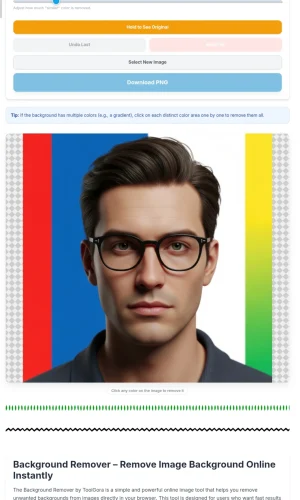
With this background remover, you can click on any color in your image and instantly make it transparent. If your image has multiple background colors, such as gradients or mixed shades, you can select multiple colors one by one. The tool intelligently removes all selected colors while keeping the main subject intact. This gives you full manual control instead of automatic removal that often damages edges.
This tool is ideal for product photos, profile pictures, logos, thumbnails, and creative designs. Once the background is removed, you can download the image as a transparent PNG and use it anywhere. You can then resize the image using our Image Resizer, compress it using the Image Compressor, or add branding with the Image Watermark.
Unlike many online tools, this background remover does not rely on AI servers or cloud processing. Instead, it uses color-based removal directly inside your browser. This makes the tool fast, responsive, and suitable even for sensitive images. You remain in full control of what gets removed and what stays visible.
How to Use the Background Remover
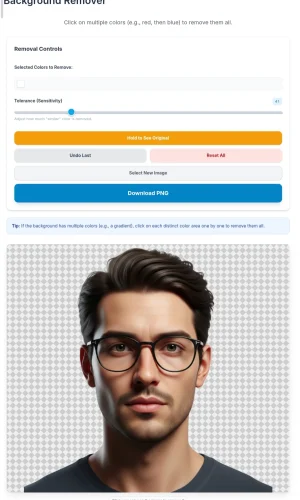
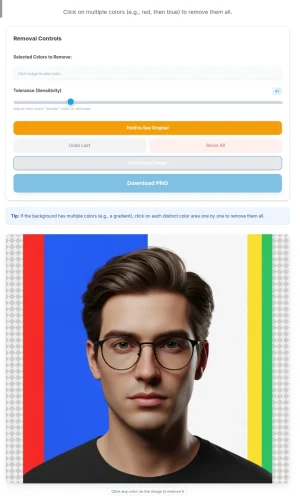
Using the Background Remover is very simple. First, drag and drop your image into the upload area or click to browse your device. Once the image loads, click directly on the background color you want to remove. The selected color will instantly become transparent.
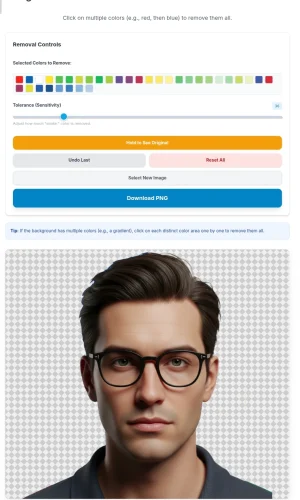
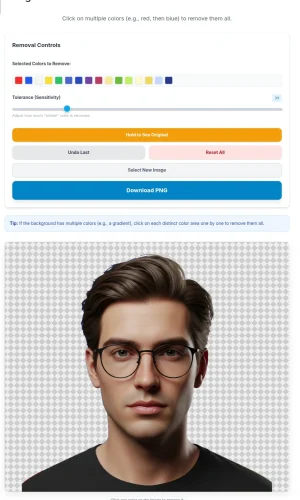
If your background contains more than one color, click on each color area one by one. The selected colors will appear in the control panel so you can see exactly what is being removed. You can adjust the tolerance slider to control how strictly the tool matches similar colors. Higher tolerance removes a wider color range, while lower tolerance keeps edges sharper.
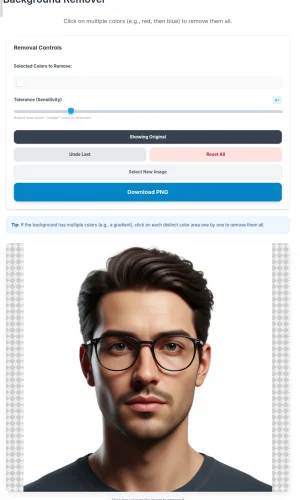
You can undo the last selected color or reset all selections at any time. The compare option allows you to temporarily view the original image to check accuracy. Once you are satisfied with the result, download the final image as a transparent PNG in full resolution.
This background remover works perfectly on desktop and mobile devices. Whether you are a designer, seller, student, or content creator, this tool helps you prepare clean images quickly and efficiently without technical complexity.
Key Features of Background Remover
- Remove background by clicking on specific colors
- Supports multiple color selection for complex backgrounds
- Adjustable tolerance for precise background control
- Instant live preview while removing background
- No image uploads, everything runs inside your browser
- Download transparent PNG in full resolution
- Undo and reset options for better editing control
- Works on desktop and mobile devices
FAQ
Does this background remover use AI?
No. This tool uses color-based background removal directly in your browser, giving you manual control and faster results.
Are my images uploaded to any server?
No. All image processing happens locally in your browser, so your files remain private.
Can I remove multiple background colors?
Yes. You can click on multiple colors one by one to remove complex or gradient backgrounds.
What format will I get after background removal?
The final image is downloaded as a transparent PNG, ready for design or web use.
Can I edit the image further?
Yes. You can resize, compress, convert, or watermark the image using other ToolGora image tools.